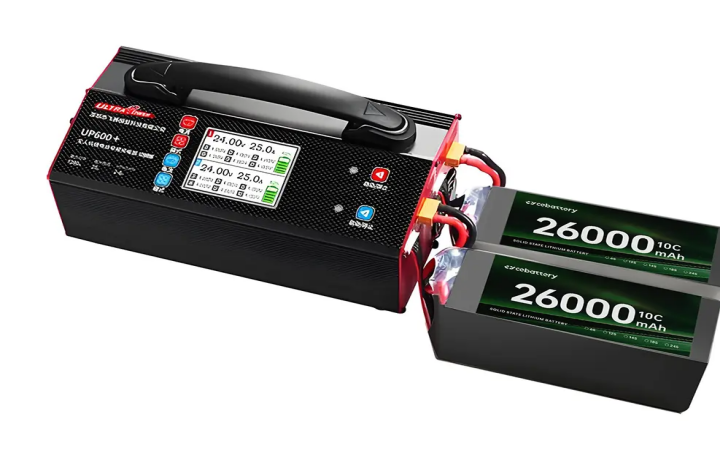
Whether you are a professional aerial photographer or a hobbyist flying for fun, your drone’s battery is its literal heart. A common question that pops up in every drone community is:
Can you overcharge a drone battery?
The short answer is: Technically, no—but you will still ruin it by leaving it on the charger. In this guide, we will dive into the science of LiPo batteries, how modern “Smart Batteries” work, and the best practices to ensure your drone stays in the air longer.
- The Science: The Danger of “overcharge a drone battery”
Lithium Polymer (LiPo) batteries are used in the majority of contemporary drones, including DJI and Autel. These are preferred due to their light weight and rapid discharge of large amounts of power. LiPos are sensitive to chemicals, though.
In the early days of RC hobbies, “overcharge a drone battery” was a massive fire hazard. If a charger didn’t stop at the maximum voltage (usually 4.2V per cell), the battery would overheat, swell, and potentially explode.
Today, the landscape has changed. Most consumer drones come with Intelligent Flight Batteries. These have a built-in Battery Management System (BMS). This tiny internal computer acts as a bodyguard, cutting off the electrical current once the cells reach their maximum capacity.
- Why Is It Still Bad to Leave It Plugged in If There Is a “Bodyguard”?
Leaving your battery on the charger for days is still a bad habit, even though the BMS prevents a catastrophic overcharge (explosion). Here’s why:
Heat Stress: Heat is produced during charging. The battery’s chemical layers may deteriorate if the charger continues “topping off” it as it naturally loses a small amount of charge.
The “Full Capacity” Strain: At about 50% charge, LiPo batteries are at their most stable. Maintaining a battery at 100% for an extended period of time is similar to holding one’s breath.It puts the cells under high internal pressure, leading to “battery swelling” or “puffing.”
Safety Failures: While rare, electronic components (like the BMS) can fail. If the circuit fails while you aren’t watching, the “overcharge” protection might not kick in.
3.The Warning Signs: Is There Already Damage to Your Battery?
A lab is not necessary to determine whether your battery is having problems. Watch out for these warning signs:
Swelling/Puffing: Quit using the drone right away if the plastic casing appears bloated or the battery is difficult to slide into.
Reduced Flight Times: The cells are probably deteriorated if your 30-minute battery suddenly only lasts 15 minutes.
Excessive Heat: After a flight, a battery is typically warm, but if it feels “hot to the touch” during a basic charge, the internal resistance is too high.
- Pro Tips for Healthy Drone Batteries
If you want to get 500+ cycles out of your batteries rather than just 50, follow these simple rules:

Never Charge Immediately After a Flight
When you land, your battery is hot. Charging a hot LiPo battery is a recipe for chemical degradation. Give it at least 15–20 minutes to cool down to room temperature before plugging it in.
Use “Storage Mode”
If you aren’t planning to fly in the next 48 hours, don’t leave your batteries at 100%. Most smart batteries have an “auto-discharge” feature that brings them down to 60% after a few days, but it’s better to use your charger’s “Storage Mode” to get them to roughly 3.8V-3.85V per cell.
Don’t Fly Until It’s “Dead”
Try to land when your battery hits 20% to 25%. Pushing a battery to 0% causes permanent damage to the cells and significantly shortens the overall lifespan of the unit.
Stick to Original Equipment
Third-party “fast chargers” are tempting because they are cheap, but they often lack the precise voltage regulation of the manufacturer’s original equipment. Your $1,000 drone is worth the $50 official charger.
Final Thoughts
So, can you overcharge a drone battery? Thanks to modern technology, your charger won’t likely cause a fire by overfilling the battery, but over-maintaining a battery at 100% will definitely kill its performance.
Treat your batteries with respect: keep them cool, store them at half-capacity, and never leave them on the charger overnight. Your wallet—and your drone—will thank you.
Would you like me to create a customized battery maintenance schedule or a checklist for your specific drone model?